


Big Brother is Tracking You (and how you can fight back)
You’re driving to work, your phone in the cup holder, your EZ-Pass humming quietly on the windshield. Maybe you’ve got OnStar in the background, logging every turn, every speed bump, every time you hit the brakes. At home, your Wi-Fi router blinks, feeding your Netflix habit. But underneath all of that, there’s a quiet, invisible web of surveillance that can map where you live, where you shop, and who you hang out with, often without you even knowing. Here's what you need to know, and do... |
Do You Know the Tools of Mass Surveillance?
It’s not just “them” anymore. It’s your car company, your toll authority, your internet router, the coffee-shop Wi-Fi, those ubiquitous street cameras, and your employer’s IT department all quietly feeding data into systems that can profile you down to the inch and the second. The good news? As an ordinary home user, you don’t need a degree in cybersecurity to push back. You just need a few simple habits and a bit of awareness.
What Are You Wearing?
Wearables and fitness trackers are some of the sneakiest surveillance tools that people willingly strap to their wrists. Your Apple Watch, Fitbit, or Garmin quietly logs steps, heart rate, sleep stages, and sometimes even your location. This can build a detailed map of when you’re awake, when you’re stressed, and how much you move from day to day. Companies can use that data to infer health trends, lifestyle habits, and even mood swings, often feeding it into insurance-style risk models or targeted advertising.
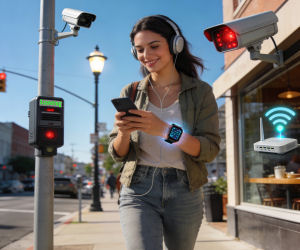
Even if you don't wear one of these gadgets, an app on your phone may be tracking steps, distance, and flights climbed using built-in motion sensors. Some examples are the Google Fit app on Android phones and the Apple Health app on the iPhone. You have to turn on Google Fit if you want that tracking, but the Apple Health app is active by default on iPhones, coming pre-installed and ready to track data without extra setup.
To keep this under your control, treat wearables and fitness apps like any other tracking device: disable unnecessary sensors, turn off location when you don’t need it, and avoid linking them to accounts you care about keeping private.
When Your Car Becomes a Spy
Let’s start with the obvious: your car. If you’ve got OnStar or a similar connected-car system, your vehicle is already a rolling surveillance device. General Motors, for example, has been caught collecting precise location data as often as every few seconds, along with braking, acceleration, speed, and mileage, then quietly selling or sharing that data with third-party brokers and insurers. That means your “safe-driving” report could quietly bump up your insurance bill, even if you never signed up for that feature.
OnStar’s own privacy docs admit they use tracking technologies and cookies, and they can gather a ton of behavioral data if you don’t opt out. The FTC has since stepped in, forcing GM to get clearer consent and to stop dumping your driving habits into consumer-reporting pipelines for a few years. But the pattern is clear: connected cars are data-mining machines first, safety features second.
Don't get smug if you drive an older car that doesn't have OnStar or similar tech. Traffic and street-level cameras are quietly everywhere, on overpasses, at intersections, and tucked into highway gantries. And they’re not just watching for red-light runners. These systems can capture video of your car, your movements, and, crucially, your license plate, feeding into databases that log when and where your vehicle appears. In some cities, those plate-reader cameras are scattered far beyond toll plazas, building detailed travel histories that can show which neighborhoods you visit, how often you drive certain routes, and even how long you linger in a parking lot. Law-enforcement and toll agencies argue this helps with safety and toll enforcement, but it also means your car can be recognized and tracked across town without you ever seeing a camera flash.
What you can do:
- Read the privacy settings in your car’s infotainment system. Turn off “telematics,” “driving-behavior tracking,” and “connected-services” if you don’t need them.
- If you’re leasing or buying new, ask whether the car has always-on tracking and whether you can disable it. Some manufacturers let you opt out via a form or online portal.
- Treat your car like a phone: assume it’s listening and watching unless you’ve explicitly turned that off.
EZ-Pass and the Toll-Booth Stalkers
Now picture this: you’re cruising down the Thruway, EZ-Pass beeping at the toll plaza, glad that you don’t have to fumble for cash. But those little plastic tags on your windshield aren’t just paying tolls. In New York and other states, E-ZPass readers are scattered all over the place, far from any tollbooth, logging when and where your tag shows up.
Privacy advocates found that city and state agencies were using these readers to track traffic patterns, but the data can easily be turned into a map of your movements: which exits you take, which neighborhoods you frequent, even how often you drive past certain intersections. Agencies insist the data is “anonymous,” but when you combine tag-read times with other records, it’s not hard to re-identify real people.
How to push back:
- If you’re in a state that lets you opt out of extra tracking, read the fine print and say no. Some systems give you a chance to limit how long your data is stored.
- Consider using cash lanes occasionally if you’re trying to break the pattern. It’s slower, sure, but it’s one of the few ways to avoid the tag-based trail.
- Remember: EZ-Pass is convenient, but convenience is the currency of surveillance. Use it when you need it, but don’t assume it’s “just” a toll-booth gadget.
Wi-Fi: The Invisible Eye in Every Room
Now let’s talk about Wi-Fi. You probably think of it as the thing that keeps your laptop and phone online. But researchers are warning that Wi-Fi could become an “invisible mass surveillance system” that tracks people even when they’re not carrying a device.
Here’s the weird part: your body messes with radio waves. As Wi-Fi signals bounce around a room, they interact with people, furniture, and walls, creating unique patterns that can be analyzed to see where you’re standing, whether you’re sitting or walking, even who you are. A team at the Karlsruhe Institute of Technology showed that standard routers, using ordinary beamforming feedback, can identify individuals with near-perfect accuracy, no special hardware needed.
That café with “free Wi-Fi”? That mall with the “guest network”? Those routers could, in theory, log your presence every time you walk by. Even if you never connect. Even if you're not carrying a phone. Every router becomes a potential surveillance node, and every city block a low-resolution camera made of radio waves.
What you can do:
- Turn off Wi-Fi and Bluetooth on your phone when you’re not using it, especially in public.
- At home, use a wired connection when possible, and put your router in a central location so you don’t need to blast the signal through every wall. Less signal leakage means less data for anyone sniffing the airwaves.
- If you’re extra paranoid, consider a Wi-Fi scheduler that turns the router off at night or when you’re away. It’s a small step, but it breaks the constant tracking loop.
The Everyday Tracking You Don’t See
Beyond cars and Wi-Fi, there’s a whole ecosystem of tools that organizations use to track people at work, at play, and on the move. Employers slap productivity-monitoring software on company laptops that logs keystrokes, screenshots, and app usage. Office badge systems and Wi-Fi networks map where you walk in the building, how long you linger at your desk, and when you leave.
Meanwhile, websites and apps are busy fingerprinting your browser, dropping cookies, and replaying your clicks in “session-recording” tools. Ad networks stitch together your browsing history, location, and device info into a profile that follows you across sites. It’s like a digital shadow that trails you everywhere, built from tiny scraps of data you never meant to hand over.
How to keep that shadow smaller:
- Pare down app permissions. Open your device’s settings, tap “Apps” or “Applications,” then go into each app’s permissions and turn off anything that doesn’t make sense. Calculator app asking for location or microphone access? A game wanting to read your contacts? Just say no.
- Use a VPN at home and on public networks. It won’t stop everything, but it hides your IP address and encrypts traffic from snoops on the same network.
- Separate your work and personal devices. If your employer can monitor your work laptop, don’t use it for Netflix, banking, or anything personal.
A Few Simple Rules for the Rest of Us
You don’t have to become a privacy nerd to protect yourself. You just need a few good habits:
- Assume everything is tracking you until you prove otherwise. That includes your car, your phone, your Wi-Fi, and your employer’s systems.
- Opt out whenever you can. Privacy settings, tracking toggles, and “do not share” boxes exist for a reason. Use them.
- Keep your devices updated. Patches fix security holes that could let bad actors piggyback on the same tracking systems that “legit” organizations use.
Surveillance isn’t going away. But by understanding the tools that track you, and by taking small, consistent steps to limit them, you can reclaim a bit of control in a world that’s always watching. And hey, if nothing else, at least you’ll feel a little less like a character in “The Matrix” every time you get in your car or walk past that “free Wi-Fi” sign.
What steps do you take to protect yourself from mass surveillance? Post your comment or question below...


This article was posted by Bob Rankin on 19 Feb 2026
| For Fun: Buy Bob a Snickers. |
 |
Prev Article: It’s Been Verified - Your Free Search Just Hit a Paywall |

The Top Twenty |
Next Article: Change These Settings to Boost Speed, Security, Privacy |
 |
Post your Comments, Questions or Suggestions
|
Free Tech Support -- Ask Bob Rankin Subscribe to AskBobRankin Updates: Free Newsletter Copyright © 2005 - Bob Rankin - All Rights Reserved About Us Privacy Policy RSS/XML |
Article information: AskBobRankin -- Big Brother is Tracking You (and how you can fight back) (Posted: 19 Feb 2026)
Source: https://rankinfile.com/big_brother_is_tracking_you_and_how_you_can_fight_back.html
Copyright © 2005 - Bob Rankin - All Rights Reserved
Most recent comments on "Big Brother is Tracking You (and how you can fight back)"
Posted by:

Bruce
19 Feb 2026
Turnoff wifi when you go for walks and driving both for security and to save battery power. The phone doesn't need to talk to every router it passes
Posted by:

Wild Bill 99
19 Feb 2026
As a neo-Luddite, I tend to be suspicious of everyone and everything, in our connected age. Fifty years ago we joked about parking meters listening. Its no longer a joke. Worse, its not just your government but also the capitalist-industrialist cabal involved, potentially compromising your entire existence. Privacy is gone with the wind.
Posted by:

Erenst van Niekerk
20 Feb 2026
Thanx Bob for an overall view on tracking
Posted by:

Ian Stewart
20 Feb 2026
Good advice and informative of course. However I would guess Wi-Fi as an “invisible mass surveillance system" is still a long way off.
Unfortunately in the United Kingdom our Prime Minister thinks 1984 is an instruction manual. I can't even access my Vimeo account unless I prove I am an adult, this is to watch videos of adults performing some classical music I have written. He is thinking of age verifications for VPNs and has threatened to ban social media.
If only Europe had the First Amendment.
Posted by:

Wolf
20 Feb 2026
Another GREAT article! We are now living under a system of surveillance capitalism with an overlay of techno-feudalism. I have been opting out of a lot of online stuff for many years, and I will never subscribe to Facebook, X, Tik-Tok, or any of those other platforms out there. Plus, I intend to just maintain my old vehicle, as I think it is ludicrous that the vehicle should be spying on me.
Thank you for another informative article!
Posted by:

Michael
21 Feb 2026
What about when you are talking about a place or device, etc during a conversation and 15 minutes later you open Facebook and you are receiving ads for the place or device. Phone was not open or being used. How does that happen?
Posted by:

Ernest N. Wilcox Jr.
21 Feb 2026
I live by the theory that anytime I go outdoors, I can be tracked, so I should have no expectation of privacy there. When I'm on the Internet, for me the same concept holds true! For me, the only place I have any expectation of privacy is in my own home, where I have complete control over everything. I don't have any cameras in my home, other than the ones I use with my computers, and they're off or disabled when not in use. The only times I go out in my car, are to the store, or one of my doctor's offices. Additionally, I'm not all that interesting, so if my devices send data home, so be it! The only thing anyone can ever learn about me is that I'm very boring. I have advertising features of Windows, and any other devices I us trimmed already so I'm not overwhelmed with adds, and I never respond to any unexpected email message, so if anyone want's to track me for the purposes of taking advantage of me, they'll have a hard time, because I also never click any link, even in an email message I think is coming from a known source without checking where it'll take me first! There are measures we can all take to better protect ourselves from malevolent actors, and I employ most of them, but when it comes to general tracking, I'm just not that worried about it! Let the powers that be do whatever they want about learning where I go or do when I'm not at home, or I'm on the Internet. If I'm not being tracked by my own devices, I am by all the kajillians of other camera's and such, already in place, everywhere any of us go!
My2Cents,
Ernie
Posted by:

Horatio
22 Feb 2026
Don't forget about FLOCK and ring cameras. Whether walking on foot or driving a vehicle, Big Broker is watching. It's not just in China anymore. We are doomed.
Posted by:

John
28 Feb 2026
You have to get the basics right. Make sure your home is secure, have wifi camera in nd outside your home, install detection beams.
However on your router, make sure you use a private DNS that never logs like Quad 9 and deny your ISP snooping. Have a long wifi password as well as your admin password, do mac filtering, wire your main PC.
On your PC, use a VPN or at least use DOH on your browsers and Windows, do encryption, i tend to like Veracrypt as i dont trust Microsoft Bitlocker. Remove telemetry on your PC too.
As for the car, i like old classic cars with very little tech. Most car manufacture's can listen view and collect all data on your car.
However the less you say and reveal on the social media the better, everyone wants your info to sell it.
We live in the age of AI, all the big brother mania will know everything about you but prevention is better than cure.
I like Degoogled phones because i think Google is a giant spyware that hogs and profit from your data.
Stay safe folks.